Understanding Kubernetes
Kubernetes has a reputation for being complicated, and some of that reputation is earned. But most of the intimidation comes from meeting it at the wrong layer. This is a mental model: what Kubernetes is, what each major piece does, and how to reason about your workloads without drowning in YAML.
What problem does it solve?
At its core, Kubernetes is a scheduler and reconciler for containers. You hand it a desired state (“run 3 copies of this image, expose port 8080”), and a control loop keeps reality matched to that state. A node dies, it reschedules. Traffic spikes, it scales, if you asked it to. A config changes, it rolls out without downtime.
That reconciliation loop, observe current state, compare to desired, act to close the gap, is the one idea underneath everything else.
The control plane
The control plane is the brain, and these are its parts:
- API server is the front door. Every
kubectlcommand is an HTTP call to it, and it’s the only component that talks to etcd. - etcd is the strongly-consistent datastore. The entire cluster state lives here. Back it up, seriously.
- Scheduler watches for unscheduled pods and picks a node for each, based on resources, affinity, and taints or tolerations.
- Controller managers are the reconcilers: deployment controller, node controller, endpoint controller, and friends. Each owns one resource type’s “make reality match spec” loop.
- kubelet is the agent on every node. It talks to the API server and runs pods through the container runtime.
- kube-proxy keeps node networking rules in place so Services route to the right pods.
The objects you’ll actually use
You don’t need to memorize the whole API. The daily drivers:
- Pod is one or more containers that share network and storage. It’s the smallest thing you deploy, but you rarely create pods directly. You create something that creates pods.
- Deployment declares how many replicas of a pod and which image. Rolling updates and rollback come free with it.
- Service gives stable networking and load balancing to a set of pods, by label selector. ClusterIP is internal, NodePort and LoadBalancer are external.
- ConfigMap and Secret hold config and credentials, mounted as files or env vars. Don’t bake secrets into images.
- Ingress is HTTP routing: path
/apigoes to Service X, hostapp.examplegoes to Service Y. It sits in front of Services. - Namespace is a scoping boundary for names and RBAC. It is not a network boundary; that’s NetworkPolicy.
A useful mental model
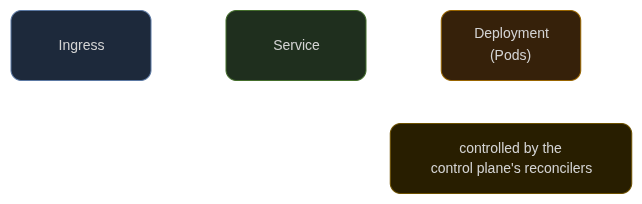
Requests flow down, Ingress to Service to Pod. Desired state flows up: you write a Deployment, the controller makes pods, the scheduler places them, the kubelet runs them.
Where people get stuck
Confusing Deployment and Pod. Edit the Deployment’s image, don’t kubectl edit pod, it’ll get replaced.
Forgetting probes. Liveness and readiness probes are how Kubernetes knows a pod is actually serving, not just that it started. Without them, traffic lands on broken pods.
Secret hygiene. Turn on encryption at rest for etcd, and use an external secret store, Sealed Secrets, External Secrets Operator, or your cloud’s KMS, rather than committing YAML.
Resource requests and limits. Set requests so the scheduler places pods sanely, and set limits so one bad pod can’t eat the node.
When not to use it
Kubernetes is a platform, not a product. If you have one small service with steady traffic, a single container on a managed service, or even a PaaS, is simpler and cheaper. Reaching for Kubernetes because it’s fashionable is how teams end up operating a distributed system they never needed. Adopt it when you have multiple services, multiple teams, or real scaling and orchestration needs.
Closing thought
Learn it from the reconciliation loop outward. Once “observe, compare, act” clicks, every other object, HorizontalPodAutoscaler, CronJob, Operator, is just another specialized reconciler. The rest really is YAML.